
Block times in Zulu.
Block time is the time from off blocks to on blocks, and pilots log it in UTC (Zulu). Subtract off blocks from on blocks. If the answer is negative, the flight crossed midnight UTC, so add 24 hours. Try it below.
Four digits, 24-hour UTC. 2215Z to 0640Z crosses midnight and comes out at 8h 25m.
How CrewCheck logs it
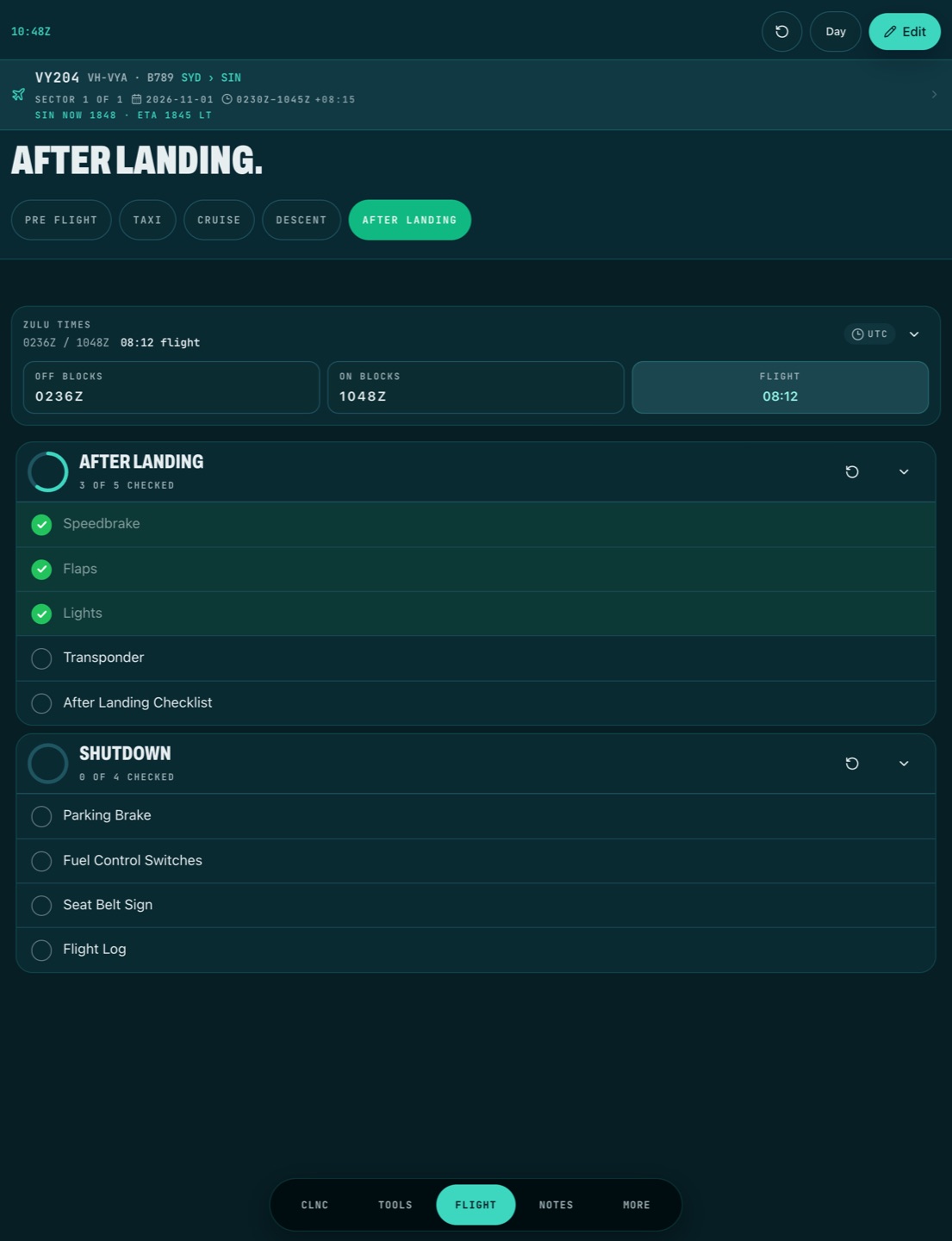
Tap off blocks when you push and on blocks when you park. CrewCheck stamps the time in Zulu and works out the flight time itself. If you need to fix a time, type it in on the time keypad.
The flight strip at the top of the checklist keeps the details you need through the day: flight number, rego, aircraft type, route and sector, the UTC times, and the local time and ETA at your destination. Local times come from a built-in list of more than 11,000 airport time zones, so it works with no signal.
Multi-sector days
With CrewCheck Pro, each sector of a duty day keeps its own flight details and block times, so a three-sector day reads as three flights, not one. The hours and minutes calculator adds up times like 1:45 plus 2:30 without decimal mistakes.
Questions
How do you work out block time?
Block time is on blocks minus off blocks. Off blocks 0236Z and on blocks 1048Z is 8 hours 12 minutes. If on blocks is earlier than off blocks, the flight crossed midnight UTC, so add 24 hours.
Why log block times in Zulu?
UTC is the same everywhere on the route, so times from different time zones add up without converting. Most logbooks and operators record block times in UTC.
Can CrewCheck show local time at the destination?
Yes. Add the destination airport code and CrewCheck shows the local time and your ETA there, from its built-in list of airport time zones. It works offline.