
Build your own checklist.
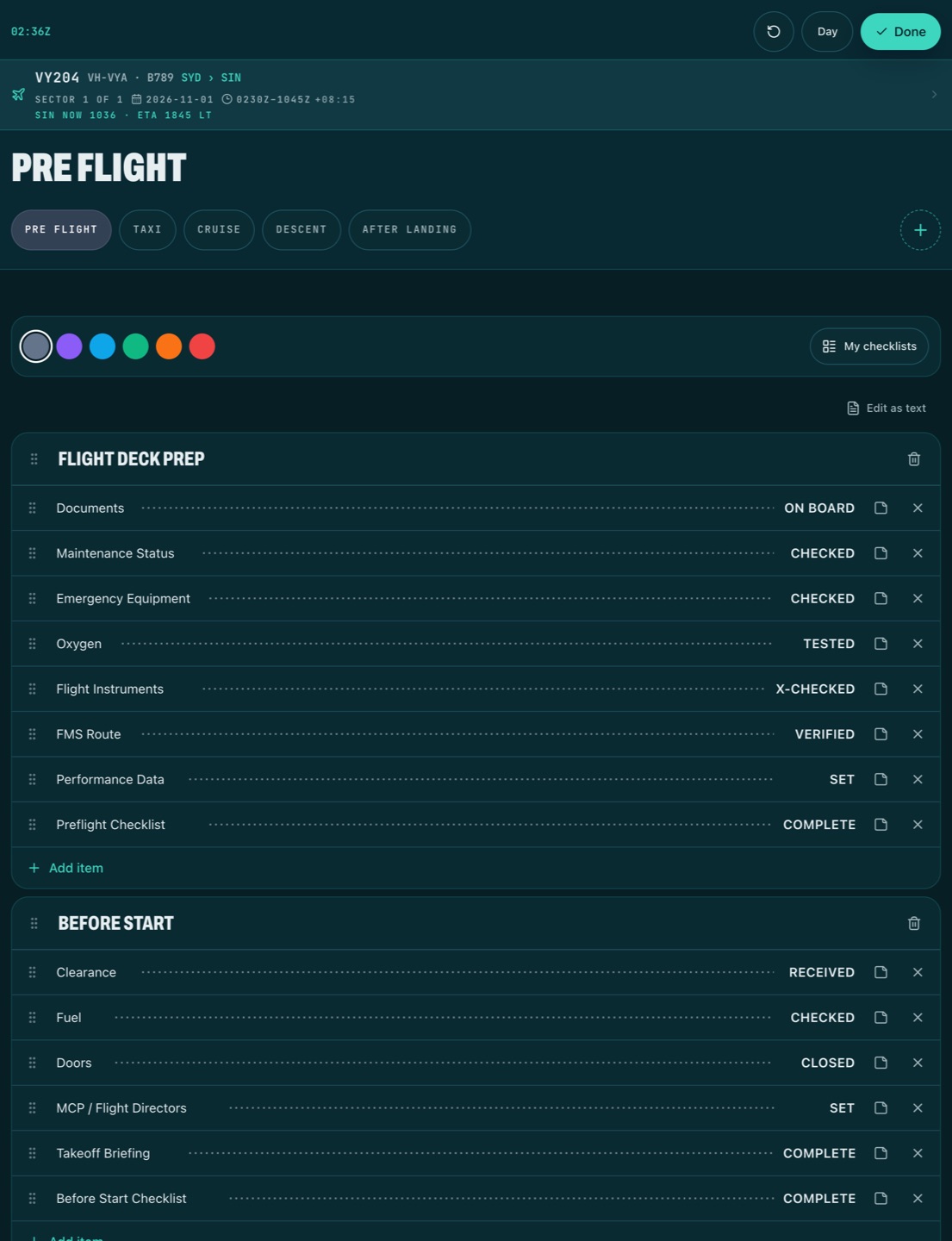
In CrewCheck you can build a checklist three ways: start blank, copy one you already have, or paste text from a PDF, document or notes. Pasted text splits into sections, and responses written after dots line up on dot leaders.
Pasting from text
Put each section name on its own line with its items underneath, and leave a blank line between sections. Write the response after dots and CrewCheck lines it up:
Before start
Clearance .... Received
Fuel .... Checked
Doors .... Closed

Before takeoff
Flight controls .... Checked
Takeoff briefing .... Complete
You see a preview of the sections and items before you save, so you can fix anything that split the wrong way.
Step by step
- Tap New checklist, give it a name and a colour so you can spot it quickly in the cockpit.
- Choose how to start: paste from text, copy an existing checklist (sections and items are copied, ticks are not), or start blank.
- Add, rename and reorder sections and items. An item can carry a note under it.
- Use it. Tick items as you go and the ring shows how far through you are.
Moving checklists between devices
Export your checklist library to a file and import it in CrewCheck on another iPhone or iPad. There's no account, so nothing goes through a server.
Free and Pro
The free version includes the built-in checklists and your own custom checklists up to a limit. Pro adds unlimited checklists plus copying and templates. The App Store shows the Pro price in your currency.
Your operator's approved checklists and SOPs always come first. A personal checklist supports them. It never replaces a normal checklist, the QRH, or anything your operator requires.