Pilot checklists.
A checklist app for pilots, built for iPad. Keep it in Slide Over beside your EFB and tick through every phase without losing your place. Zulu times and crew rest built in, fully offline, and on iPhone too.
Free to download. No account.
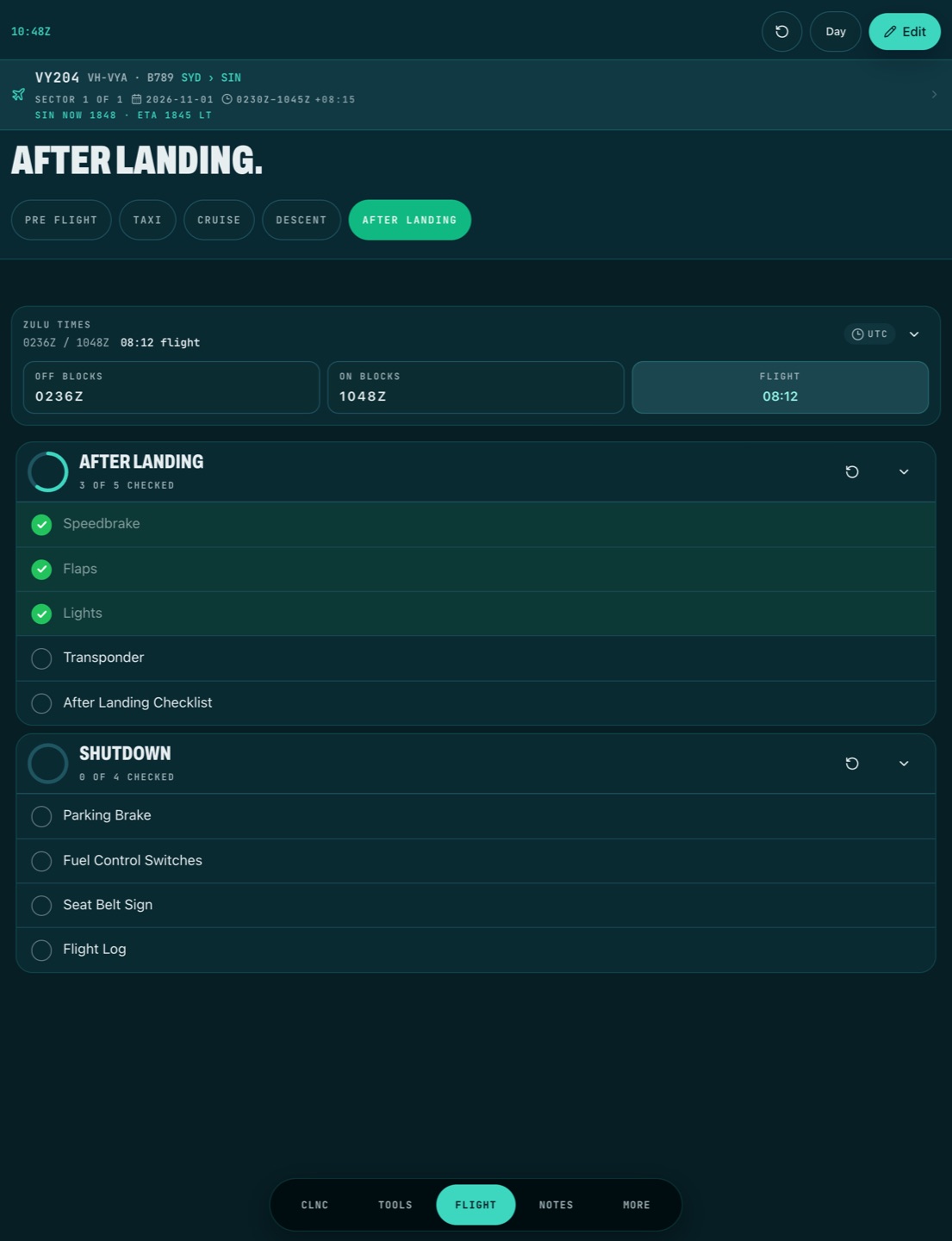
- Pre flight
- Taxi
- Cruise
- Descent
- After landing
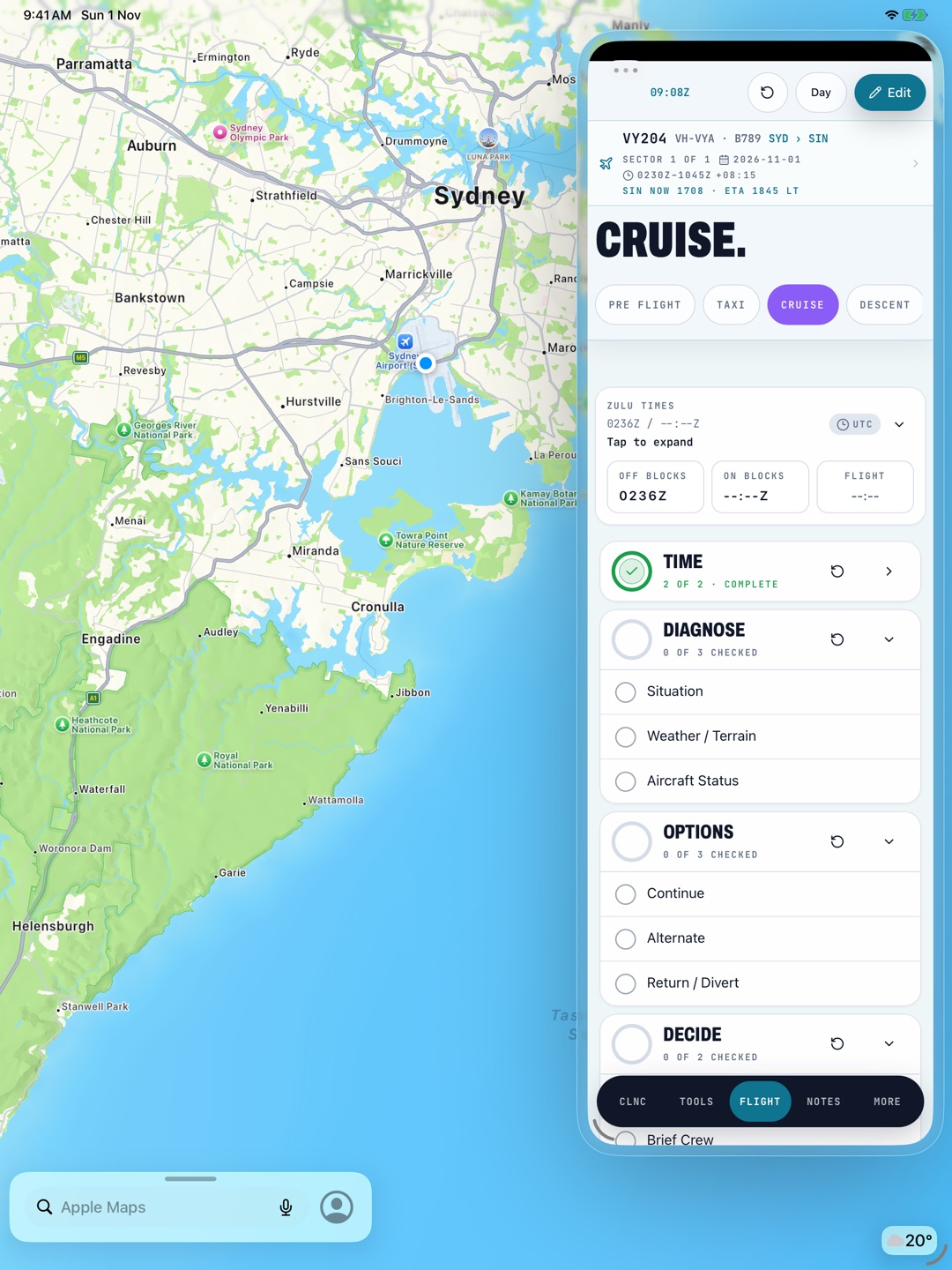
Zulu times, logged.
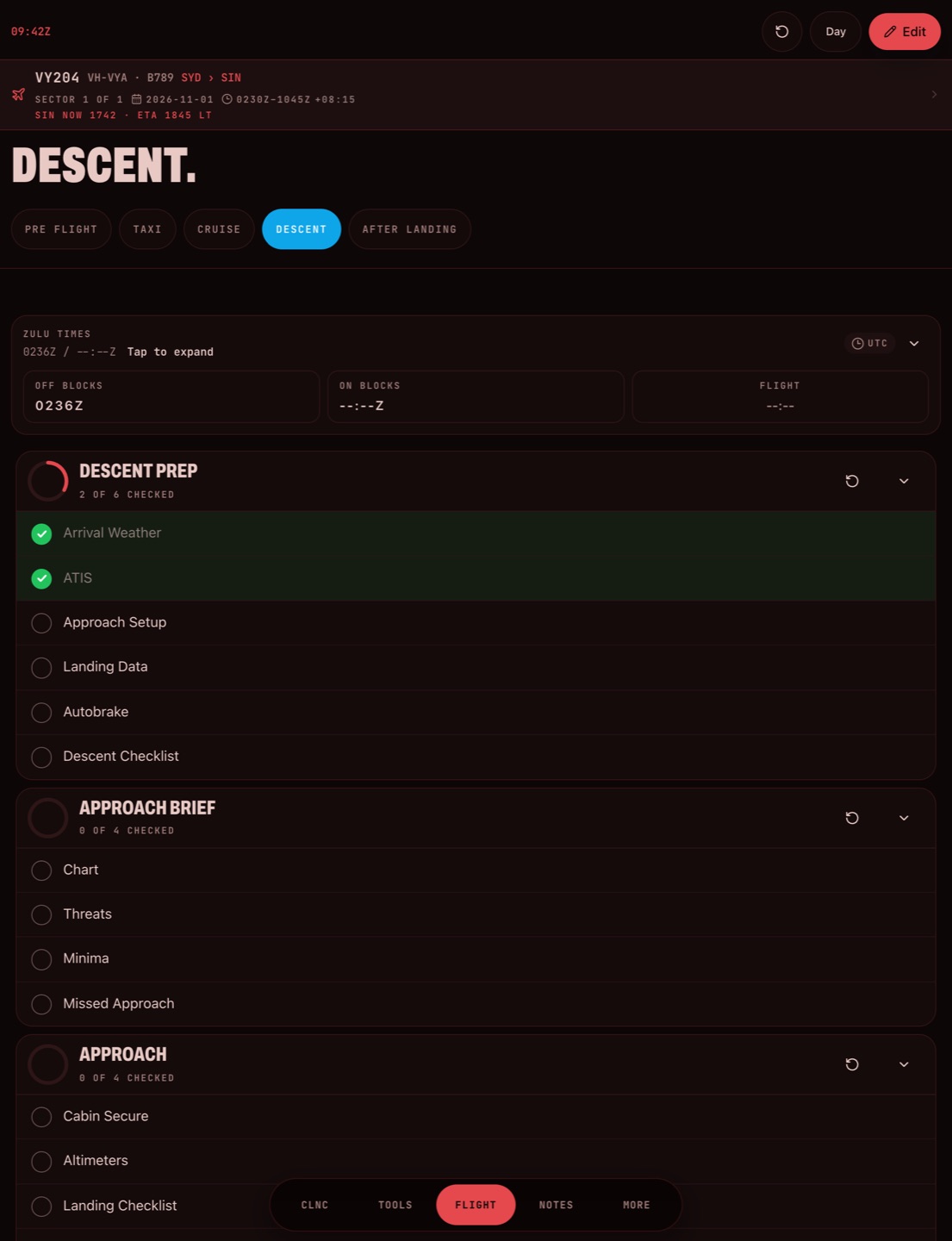
Tap off blocks and on blocks and the flight time works itself out. The flight strip keeps the flight number, rego, route and UTC times up top, with the local time and ETA at your destination.
Type four digits, 24-hour UTC. Past midnight is handled. More on block times.
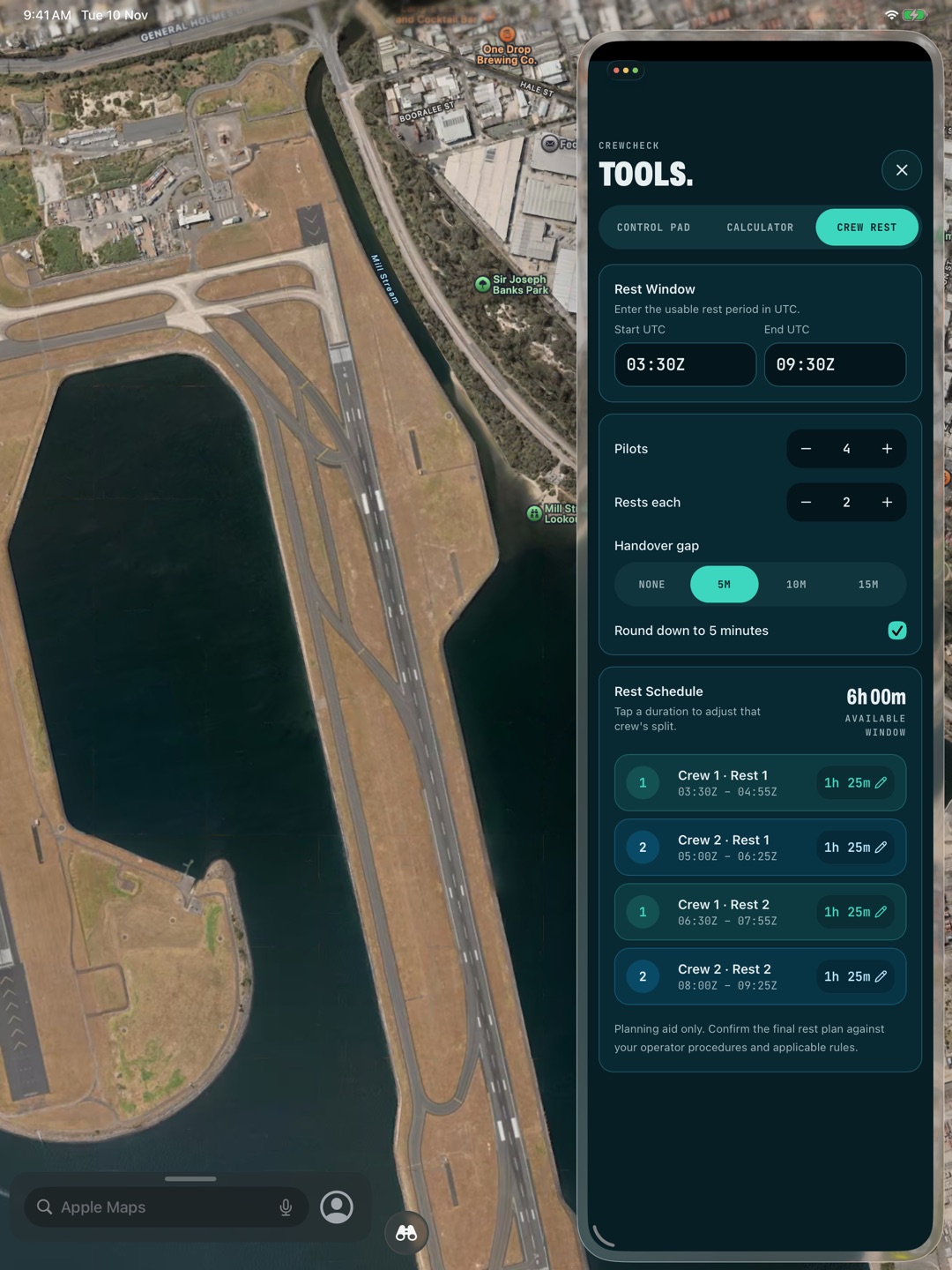
Tools for the duty day.
Everything you reach for between checklists, a tap away, still in Slide Over beside your EFB. Try the crew rest calculator.
- Crew restSplit for the crew
- Hours and minutesAdded up
- CalculatorStandard
- ClearancesControl pad
- Scratch padApple Pencil
- Flight detailsETA local
Build your own.
Write your checklists the way your day runs, phase by phase. Responses line up on dot leaders, so you scan the list instead of reading it. Move them to another iPhone or iPad with a file.
Your operator's approved checklists and SOPs always come first. CrewCheck is for your own lists, the small things your SOPs leave to memory. It never replaces a normal checklist or the QRH.
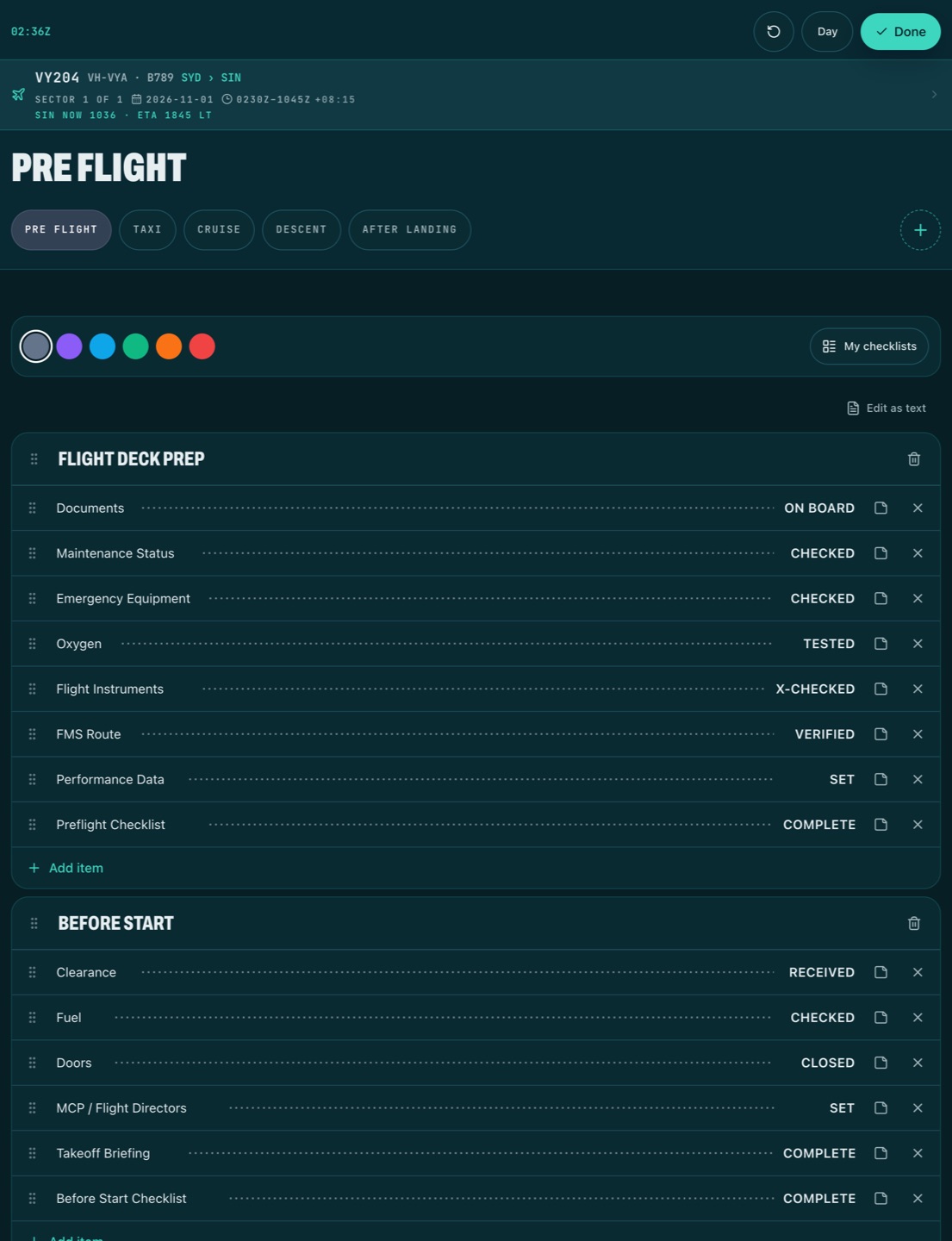
Make it yours.
Seven themes, each with its own app icon. Light and dark follow your device. Night ops goes dim red for a dark flight deck.
 Cockpit teal
 Veylor
 Paper
 Midnight
 Purple
 Graphite
 Night ops
Free to fly.
Download it, use it, keep it. Pro adds the rest when you want it.
Free
Free to download
- Built-in checklistsEvery phase
- Your own checklistsTwo
- Zulu timesIncluded
- Calculator and clearancesIncluded
- ThemeCockpit teal
Pro
Monthly or yearly
- Your own checklistsUnlimited
- Copying and templatesIncluded
- Crew rest, hours and minutesIncluded
- Scratch pad and presetsIncluded
- Multi-sector daysIncluded
- Themes and iconsAll seven
Pro is an optional subscription. The App Store shows the price in your currency, and you can cancel any time in your App Store settings.
Questions.
Does it work offline?
Yes. Everything works with no signal, in flight mode, from the first launch.
Does it replace my operator's checklists?
No. Your operator's approved checklists and SOPs always come first. CrewCheck is for your own lists, the small things your SOPs leave to memory.
Do I need an account?
No. There's no account and no sign-up. Your checklists, notes and flight details stay on your device. No analytics, ads or trackers. The privacy policy has the detail.
Does it run on iPhone and iPad?
Yes, both. iPad is where it shines: it's built to sit in Slide Over beside your EFB, charts or maps, where your operator permits it.
How do I move my checklists to a new device?
Export your checklist library to a file, then import it in CrewCheck on the other iPhone or iPad.
Is CrewCheck free?
Yes. It's free to download and use. Pro is an optional monthly or yearly subscription, with the price shown in the App Store in your currency. Cancel any time in your App Store settings.
Is there an Android version?
No. CrewCheck is for iPhone and iPad only, on the App Store.

Checklist complete.
CrewCheck is free on the App Store for iPad and iPhone.
Download on theApp Store